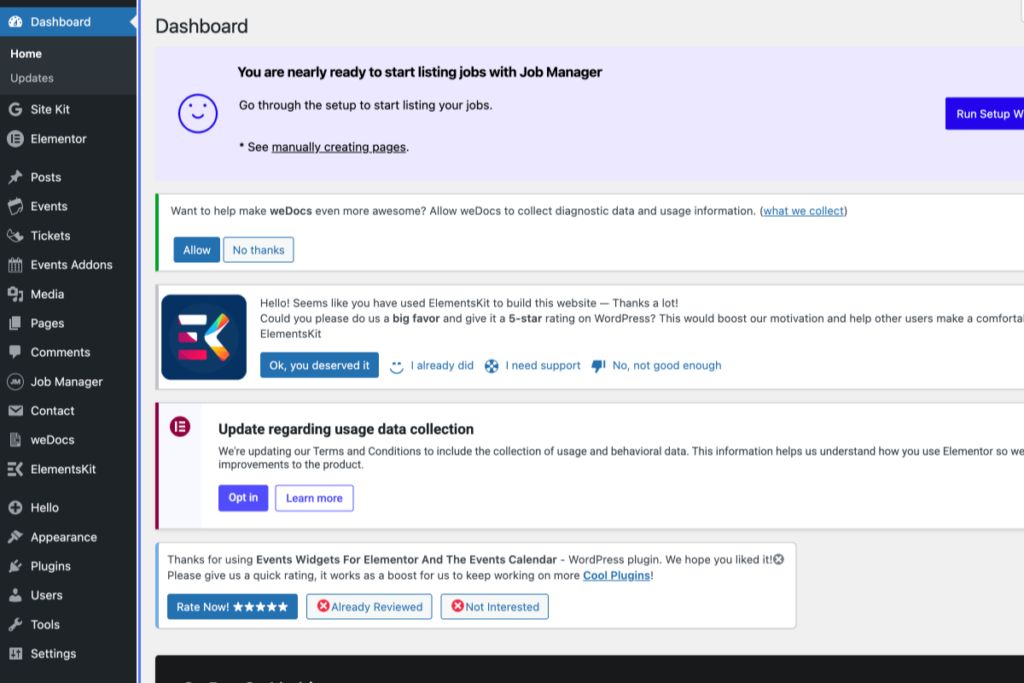
WordPress admin dashboard showing setup notifications for Job Manager, Elementor, and data collection updates, with a sidebar menu on the left and notification messages in the main view. – OADR Training
2
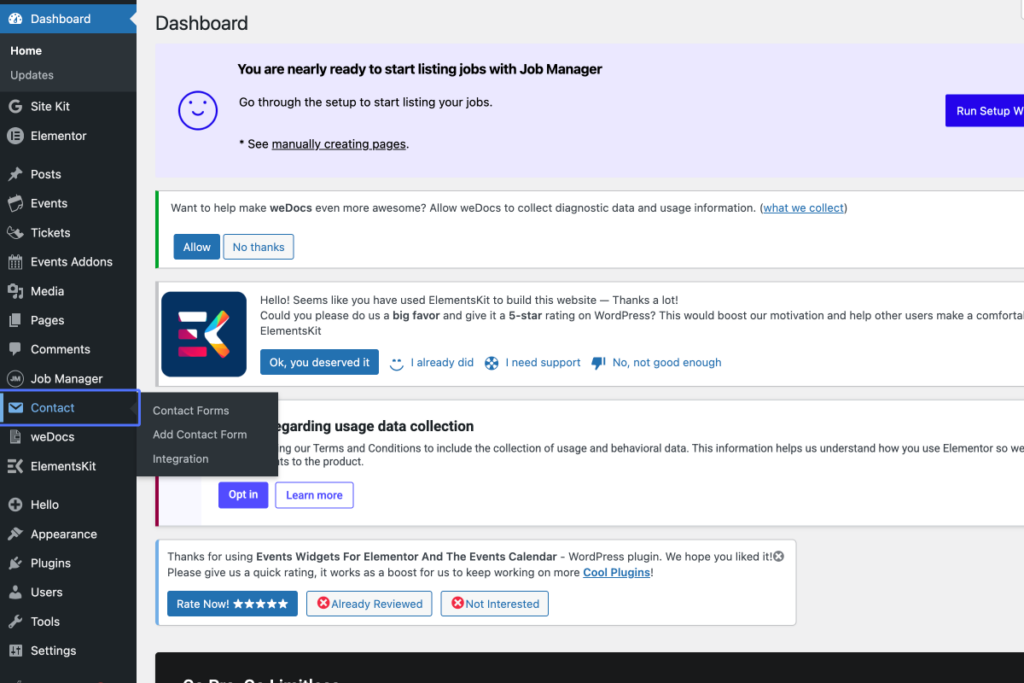
Click on the link “Contact”
WordPress dashboard with sidebar navigation expanded, highlighting the “Contact” menu and its sub-items, while various plugin and informational notices appear on the main panel. – OADR Training
3
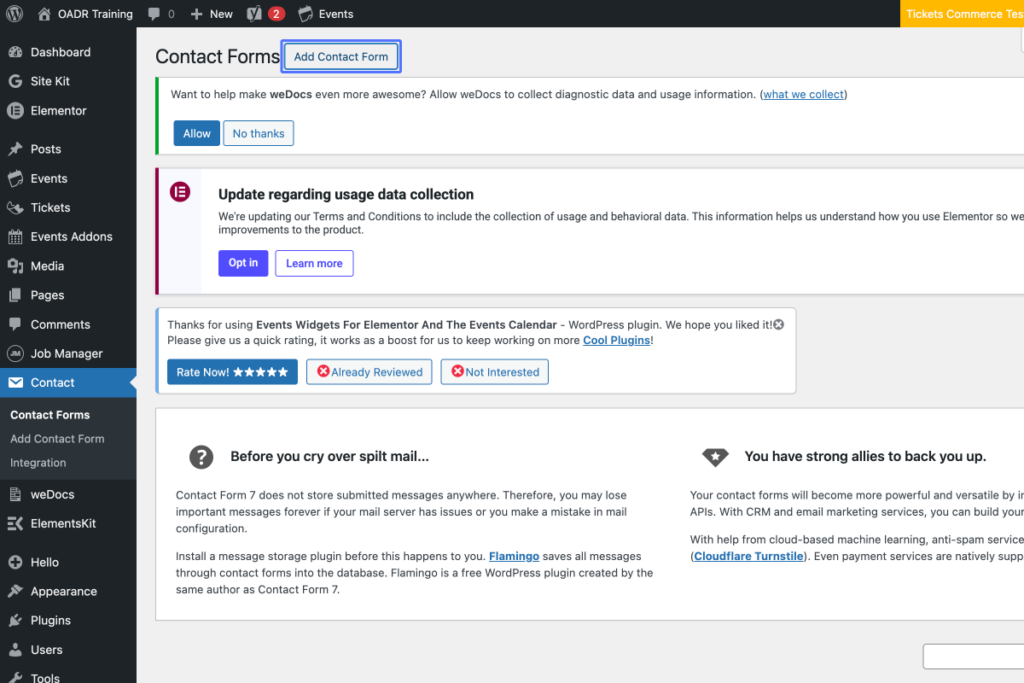
Click on the link “Add Contact Form”
Tab Name: Edit Contact Form ‹ OADR Training — WordPress
Screenshot of the WordPress dashboard showing the Contact Forms plugin page, with informational alerts and options to add a contact form at the top. – OADR Training
4
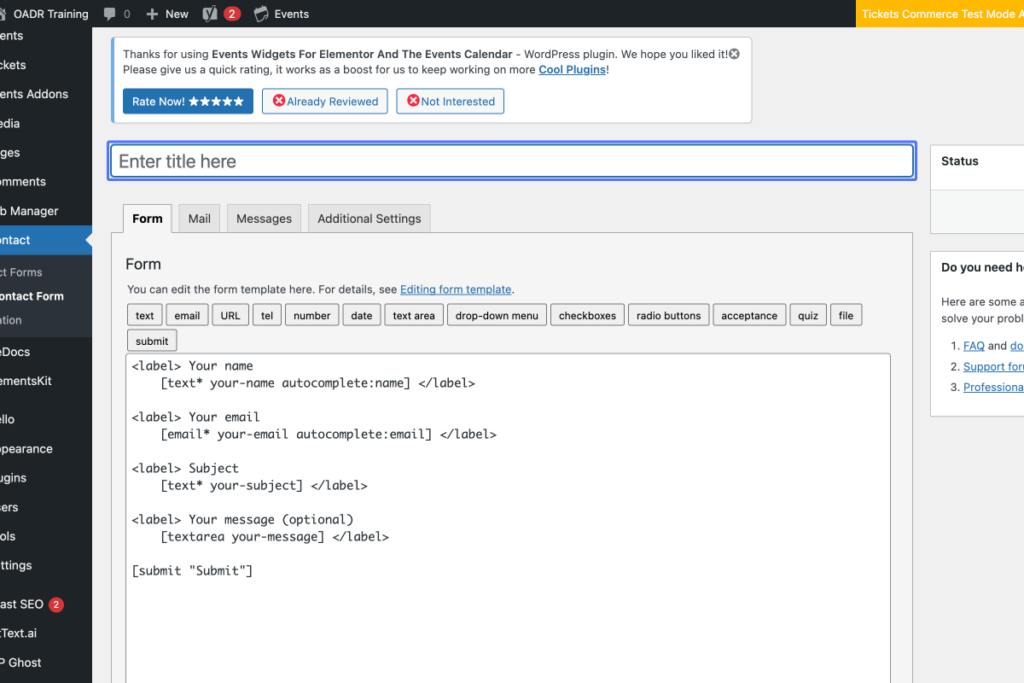
Click on the input
Tab Name: Add Contact Form ‹ OADR Training — WordPress
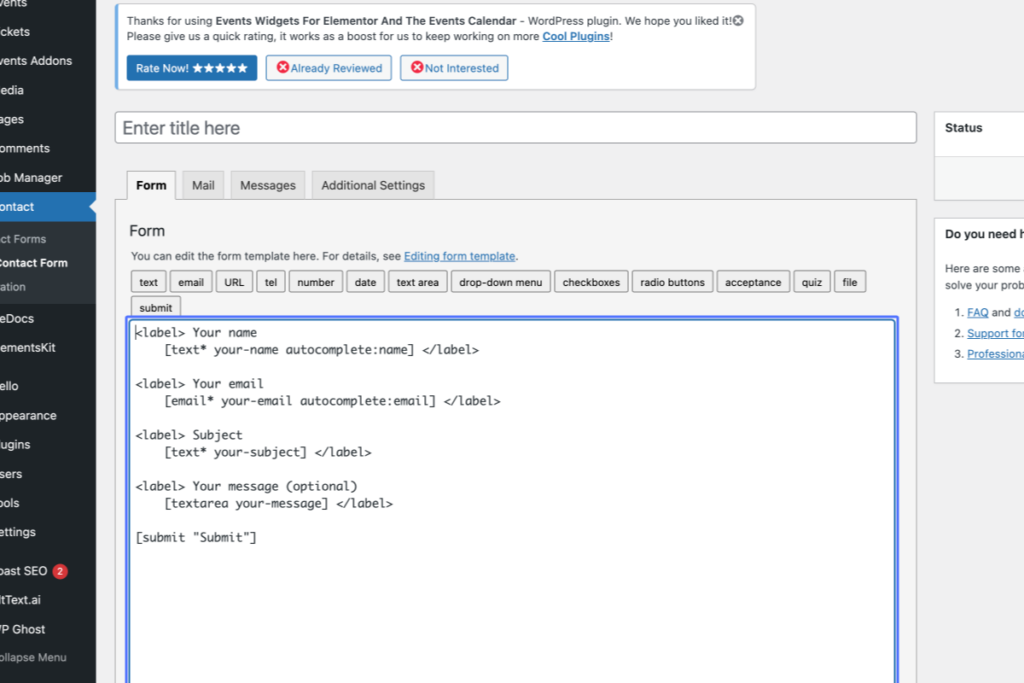
A WordPress dashboard shows the Contact form editor with HTML code for a basic form, including fields for name, email, subject, and message. Various plugin menus appear on the left sidebar. – OADR Training
5
Click here
Screenshot of a WordPress contact form editor showing form field labels and HTML code for name, email, subject, message, and a submit button. – OADR Training
6
Click here
Screenshot of a web form editor with a notice about usage data collection at the top, coding area for form fields, status sidebar, and help section on the right-hand side. – OADR Training